



Legacy support systems were built for a different era of gaming, when updates were rare, feedback came through emails, and “player support” meant waiting days for a reply. But in today’s Live Ops-driven world, that model is holding studios back.
Players voice frustrations on Reddit before tickets even reach an agent. Developers push patches without knowing which bugs impact players most. And by the time fixes roll out, sentiment has already shifted.
In our Digital Support Benchmark Report, we found that outdated systems can stretch resolution times to 84 hours. Automated environments, in contrast, handle similar issues in under nine. For Live Ops teams operating on tight event cycles, this is a considerable difference. And the lag can mean losing momentum and even, customers.
This article explores how forward-thinking studios are replacing legacy support structures with integrated feedback systems. You’ll see how Live Ops and Support, when aligned, turn raw player feedback into actionable updates and how Helpshift powers that cycle with automation, analytics, and real-time insight.
Why Live Ops and Player Support Must Work Hand-in-Hand
The cost of working in silos
Live Ops teams are responsible for keeping a game fun, stable, and evolving. But they can’t see what players are actually experiencing inside the game without the support team’s data. Meanwhile, support agents are the first to see signs of frustration, confusion, or emerging bugs but they can’t fix the underlying issue without Live Ops.
When these teams operate separately:
- Bugs go unnoticed until they cause churn
- Events run with balancing issues that players have already flagged
- Updates ship without clarity on what actually needs improvement
- Support is left “soothing players” instead of influencing fixes
This is how games end up reacting to problems after ratings drop or community sentiment swings instead of preventing issues early.
Support as the live intelligence system
Support is the only part of the studio that receives real-time feedback at scale. Every chat, ticket, survey, and Discord-linked conversation reflects current player experience not assumptions based on past builds or test environments.
When that feedback is shared with Live Ops weekly, or worse, only during post-mortems, teams lose the opportunity to improve during the update cycle, not after it.
When support insights flow continuously into Live Ops decision-making, studios:
- Catch friction before it affects retention
- Improve event pacing based on live participation feedback
- Understand sentiment behind patch outcomes not just analytics
- Prioritize fixes based on what players feel, not just what logs show
This is what turns support from a “ticket queue” into a source of strategic visibility.
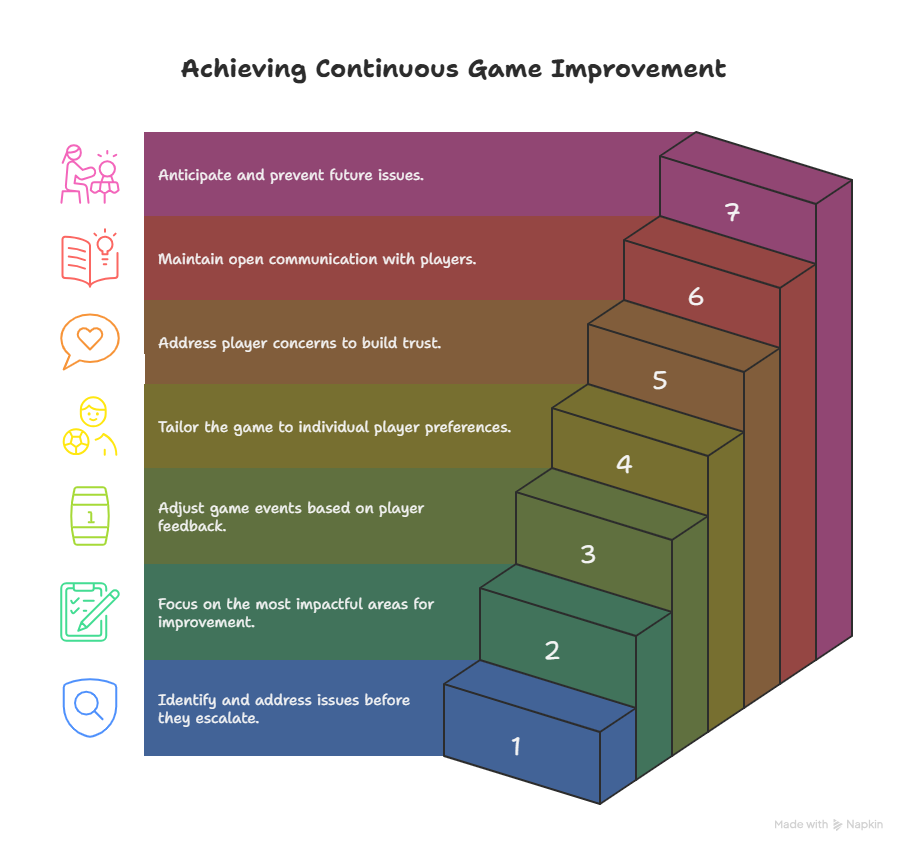
7 Ways Player Feedback Fuels Continuous Game Improvement
Here’s how leading studios are using real-time support data to keep their games engaging between launches.
1. Spotting friction before it affects retention
Studios usually notice emerging issues only after they start becoming loud, a heated Reddit thread, a spike in Discord complaints, or a negative trend in app store reviews. The reason is simple: feedback is scattered.
- Support sees individual frustrations.
- Community sees sentiment.
- QA sees technical logs.
- Live Ops sees KPIs.
Many teams try to stay ahead of this by keeping a shared Slack channel where people drop “something feels off” observations, or by tracking repeating complaints in a lightweight spreadsheet. This works surprisingly well when a game is mid-size and the community is familiar.
But as scale increases, these signals turn into noise. It becomes harder to tell whether a complaint is an isolated frustration or part of a broader retention risk. That’s when centralizing the feedback becomes crucial. Helpshift steps in here by giving teams a single view of what players are experiencing linking support messages, in-game feedback, and device-level context so patterns emerge early enough to fix before players churn.
2. Prioritizing what truly matters
When every message looks urgent, Live Ops can feel like triage. Someone complains loudly about matchmaking; another reports a progression block; a third has a payment issue. Without context, it’s easy to jump between fires instead of focusing on what truly affects retention.
Teams often create a simple cadence to stay focused: weekly reviews where support highlights the most common issues, QA shares reproducible bugs, monetization, or core loops. The challenge is speed. When updates and events move quickly, a weekly or even daily rhythm isn’t always fast enough to catch shifts in time.
Helpshift helps teams stay ahead by automatically identifying which issues are affecting the largest groups of players or the most critical gameplay moments. The decision-making becomes clearer and faster.
3. Improving events in real time
Post-event reviews are helpful for planning future events, but they don’t do anything for the players who are frustrated right now. If an event isn’t fun in the moment, waiting until it ends to analyze feedback means the damage is already done.
Some studios try to monitor this manually by having community managers watch conversations during events and relay sentiment back to Live Ops. Others keep an eye on telemetry curves like participation and dropout rates. It works when the signals are strong and unmistakable.
But subtle issues are often hard to spot this way. A slow rise in frustration often doesn’t look like a crisis until it already is one. Helpshift lets studios see sentiment trends as they form, making it possible to adjust tuning mid-event instead of apologizing after the fact.
4. Building personalized experiences
Not every player interacts with the game the same way. New players may feel overwhelmed. Veterans push the limits of optimization. Some players spend regularly; others never do. When feedback isn’t segmented, updates can accidentally help one group at the expense of another.
Teams sometimes handle this manually by grouping feedback logs by player lifecycle stage new, returning, long-term and comparing what each group struggles with. It’s doable, but it takes time and consistent tagging.
Helpshift simplifies this by automatically clustering experiences by player type, so teams can tune progression and event pacing in ways that feel fair to each group, without redesigning the entire system.
5. Turning private complaints into public wins
When players don’t have a way to express frustration inside the game, they take it public. That’s how small usability issues turn into rating drops or negative word-of-mouth.
Some studios try to handle this by being extremely present in app store replies, or by redirecting players to support channels through pinned messages on Discord. It does help but only after frustration has already spilled out.
Bringing feedback and acknowledgment directly into the game removes that delay. Helpshift makes that loop simpler by letting players report issues from within the experience itself which means problems get resolved before they become reputational damage.
6. Strengthening trust through visibility
Even when something is fixed quickly, players don’t automatically notice. Patch notes and Discord announcements only reach the subset of players who go looking for them. Silence can accidentally look like indifference.
Teams often have community managers reply manually to key players who raised issues, which builds goodwill but it doesn’t scale to the wider player base.
In-game acknowledgment restores trust faster. Helpshift allows studios to send those messages right where players are already engaged, so improving the game feels like a shared journey rather than a one-way broadcast.
7. Forecasting the next issue before it happens
When every day is spent responding to what just broke, long-term improvement stalls. Teams try to push past this by reviewing crash logs, tracking repeat feedback patterns, and holding monthly retros on what frustrated players most.
The insights are real, they just arrive slowly.
Helpshift adds lift by surfacing recurring friction points before they snowball, so Live Ops can make proactive improvements rather than reacting to whatever surfaced last.
How Helpshift Enables Feedback-Driven Live Ops
Collecting feedback is only half the story. Turning it into meaningful action is where most legacy systems break down and where Helpshift stands apart:
In-game surveys that capture sentiment instantly
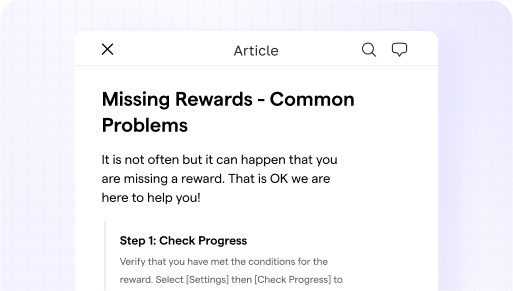
Email surveys rarely get answers. With Helpshift’s Help Center, studios can gather player reactions directly inside the game, right after an event or update. The result? Higher participation and fresher insights, some studios report survey response rates up to 35%, compared to 7% through web or email forms.
AI tools that translate data into decisions
Traditional CRMs drown teams in unstructured text. Helpshift AI and Automation organizes millions of messages into actionable insights like “bug,” “purchase issue,” or “crash.” Its Smart Intents and automation workflows surface patterns instantly, helping Live Ops and Support prioritize what really impacts player sentiment.
Seamless collaboration through a unified workspace
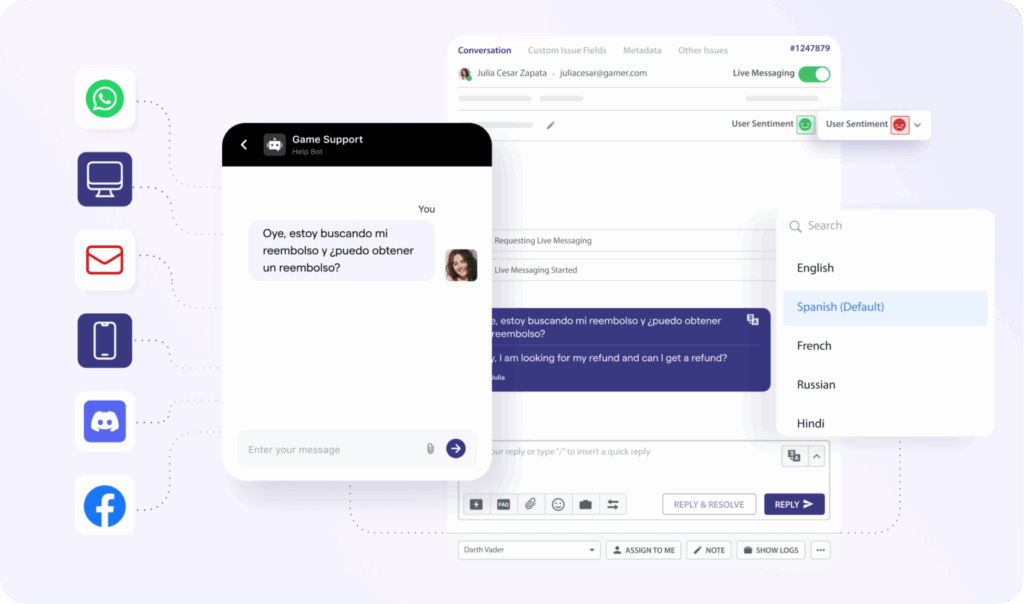
Most legacy systems exist in silo. Support data, Live Ops dashboards, and developer tools are scattered across teams. Helpshift’s Agent Workspace centralizes these workflows into a single view, so developers, agents, and Live Ops managers share one live feed of player insights. When a spike in lag tickets aligns with server strain, teams can act immediately.
Multichannel messaging that keeps players in the game
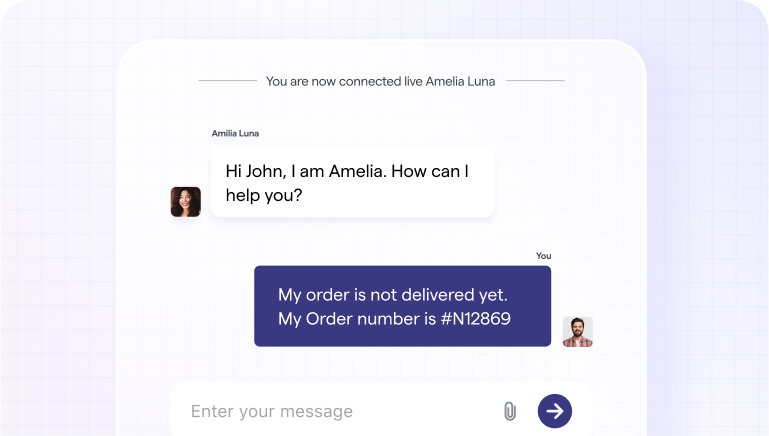
Instead of pushing players to email or external forms, Helpshift Messaging enables real-time, in-app conversations. Players can report bugs or ask questions without leaving the game, keeping immersion intact while giving teams the context they need to fix issues faster.
Multilingual support that connects global players
Nearly 48% of gaming support interactions occur in non-English languages, according to Helpshift’s Digital Support Benchmark Report. Helpshift AI and Automation includes Language AI for over 70 languages, delivering native-quality translations instantly. That means a player in Brazil gets the same clarity and empathy as one in Japan, without delays or miscommunication.
Case Studies: Studios Escaping Legacy Loops
Jam City: Automating the feedback flow
Before Helpshift, Jam City’s player feedback was scattered across email and social media. Post-integration, automation now handles 70% of tickets, cutting average response time by 84% and boosting CSAT by 25%. By analyzing those insights, Jam City refined event pacing and difficulty balancing keeping players engaged longer.
Hutch Games: From inbox chaos to in-app clarity
Hutch struggled with manual workflows that left agents overwhelmed. By introducing Helpshift’s Smart Intents and in-app messaging, they deflected up to 80% of repetitive queries. Resolution time dropped 65%, and player satisfaction climbed to 4.4 / 5, freeing Live Ops teams to focus on actual gameplay optimization.
Hothead Games: Replacing fragmented tools with one platform
Hothead previously relied on multiple disconnected systems for support, translation, and analytics. With Helpshift, they unified everything. The result: 77% automation rate, 21% faster first responses, and seamless multilingual handling across 25 languages. Player complaints are now analyzed as roadmap inputs, not buried in spreadsheets.
Final Thoughts: Support Data Is the Engine of Live Ops Success
Legacy systems were built for slower eras of gaming when updates came quarterly and feedback took days to process. Today, Live Ops moves in real time, and player patience is measured in minutes.
Studios that thrive are the ones that listen fast. Helpshift makes that possible by transforming feedback into forward motion—automating, analyzing, and routing every signal to the right place.
Because the real secret to Live Ops success isn’t more events or bigger updates. It’s a support system that evolves as quickly as your players do.
If your Live Ops team is still juggling disconnected tools and manual workflows, it’s time to see how modern support feels in action. Schedule a Helpshift demo to experience how feedback-driven updates can turn every player conversation into your next great release.